AI Insights
AI Insights control what the AI extracts from every processed call. CallVibe ships with built-in System Insights, and you can add Custom Insights to capture business-specific data. Every insight configured here feeds the AI Insights dashboard and call analytics — scores, classifications, and pipeline data are all built from these fields.
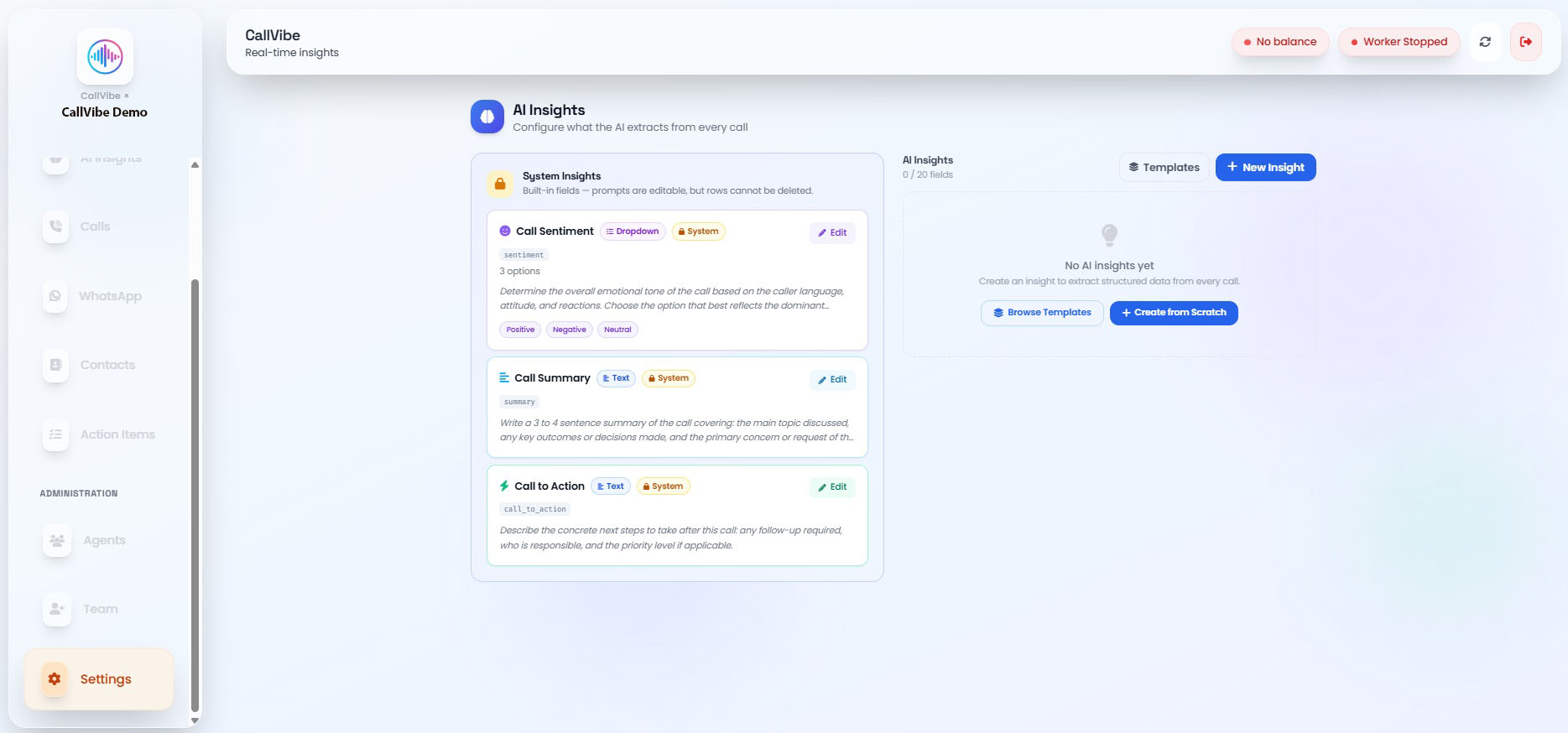
System Insights
Built-in fields present on every tenant. Their AI Instruction (prompt) is editable, but the rows themselves cannot be deleted.
- Call Summary: Free-text recap of the call
- Call Sentiment: Dropdown — overall tone of the conversation
- Call to Action: Free-text — the next step identified from the call
- Category: Dropdown — drives call classification, options support Notification Criteria
Custom Insights
Team-defined fields, tenant-specific. Up to 20 custom insights per tenant.
Field Types
- Free Text: Open-ended AI output (e.g., objections raised)
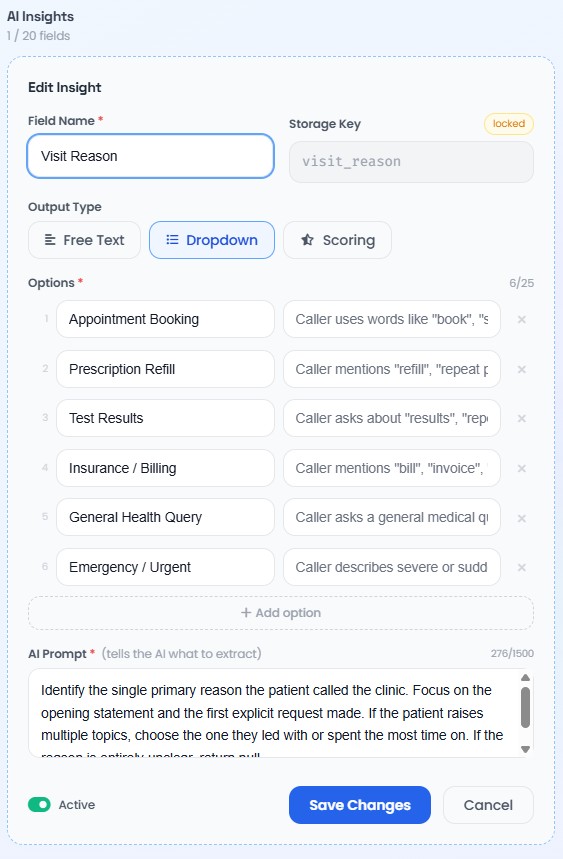
- Dropdown (Categorization): Fixed set of options the AI picks from, up to 25 options
- Scoring: Numeric score from a rubric you define — higher score means better quality
Manage AI Insights
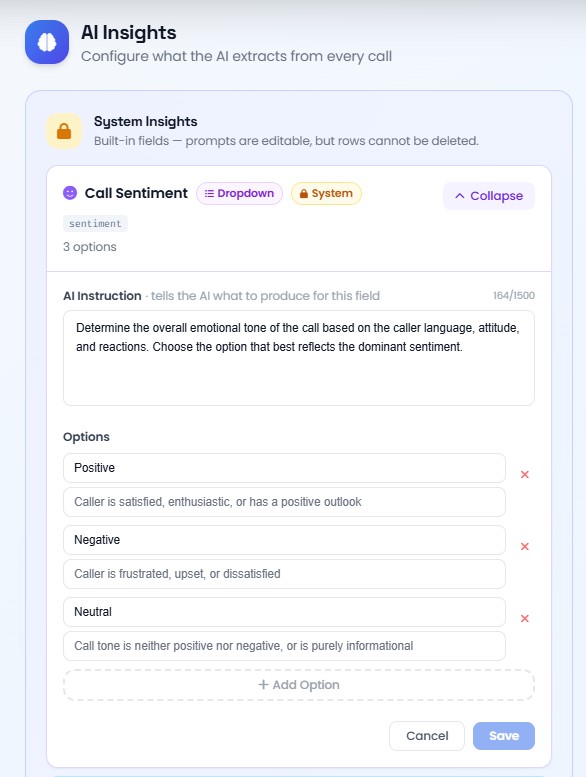
Edit a System Insight
- Open Settings > AI Insights.
- Click Edit on any System Insight card.
- Update the AI Instruction, and options if the field is a dropdown.
- Click Save.
Add a Custom Insight
- Open Settings > AI Insights.
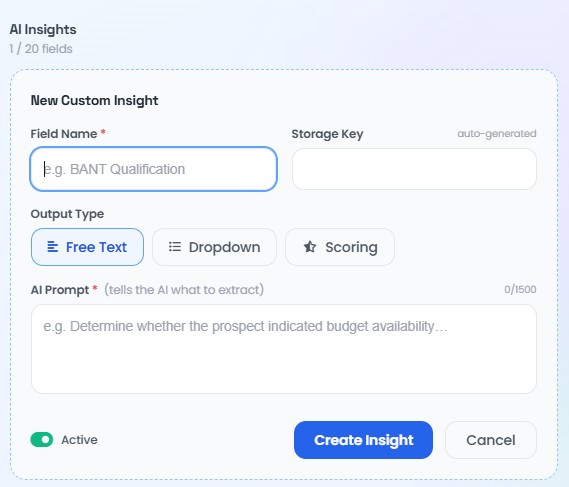
- Click New Insight, or click Templates to start from an industry template.
- Enter a Field Name and choose an Output Type.
- For Dropdown, add options with a value and description. For Scoring, add rubric rows with a score and description.
- Write the AI Prompt.
- Click Create Insight.
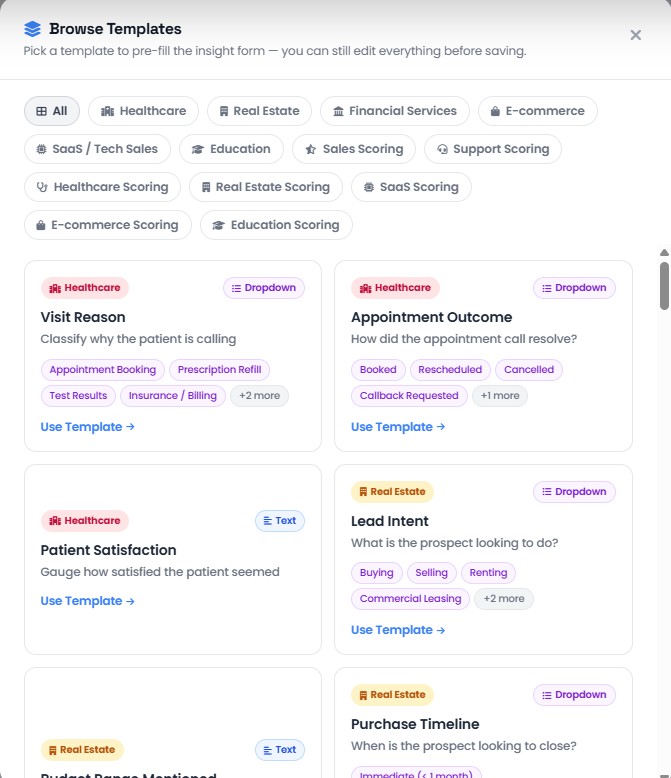
Use a Template
Click Templates, pick an industry tab (Healthcare, Real Estate, Financial Services, E-commerce, SaaS, Education, and their Scoring variants), and select a template card to pre-fill the New Insight form. All fields remain editable before saving.
Edit a Custom Insight
Click the pencil icon on any custom insight card, update the fields, and save.
Delete a Custom Insight
Click the trash icon and confirm. This does not remove data already extracted from past calls; new calls will no longer populate this field.