Lead Statuses
Lead Statuses define the stages in your sales pipeline. After every call, the AI automatically sets the contact status based on the transcript. Agents can manually override it at any time.
Smart Setup
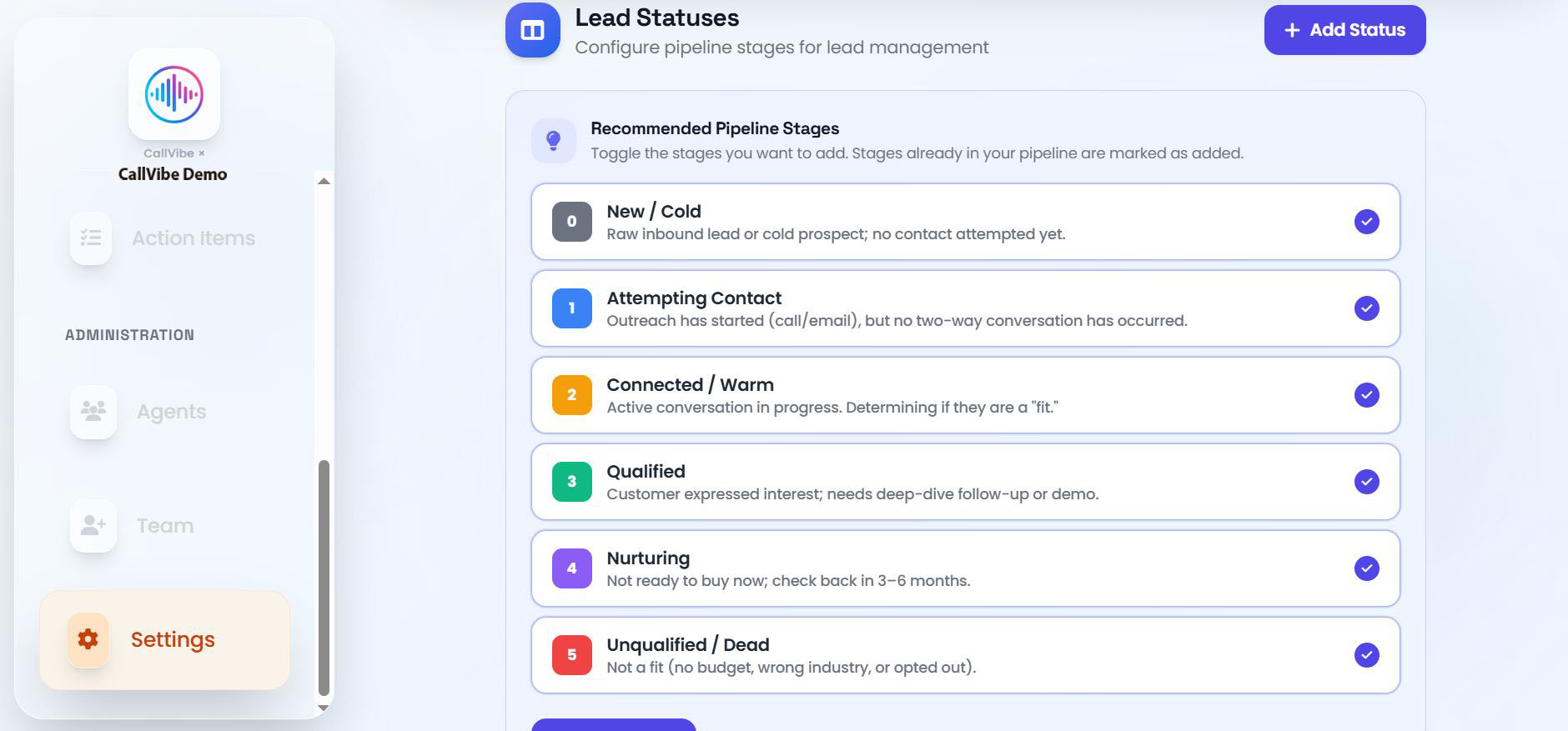
If your pipeline is empty, CallVibe offers a Recommended Stages panel with 6 pre-built stages:
- 0 — New / Cold: Raw inbound lead, no contact attempted yet
- 1 — Attempting Contact: Outreach started but no two-way conversation yet
- 2 — Connected / Warm: Active conversation in progress
- 3 — Qualified: Customer expressed interest; needs follow-up or demo
- 4 — Nurturing: Not ready now; check back in 3–6 months
- 5 — Unqualified / Dead: Not a fit — no budget, wrong industry, or opted out
Select all, pick a subset, or dismiss the panel and build from scratch.
Fields
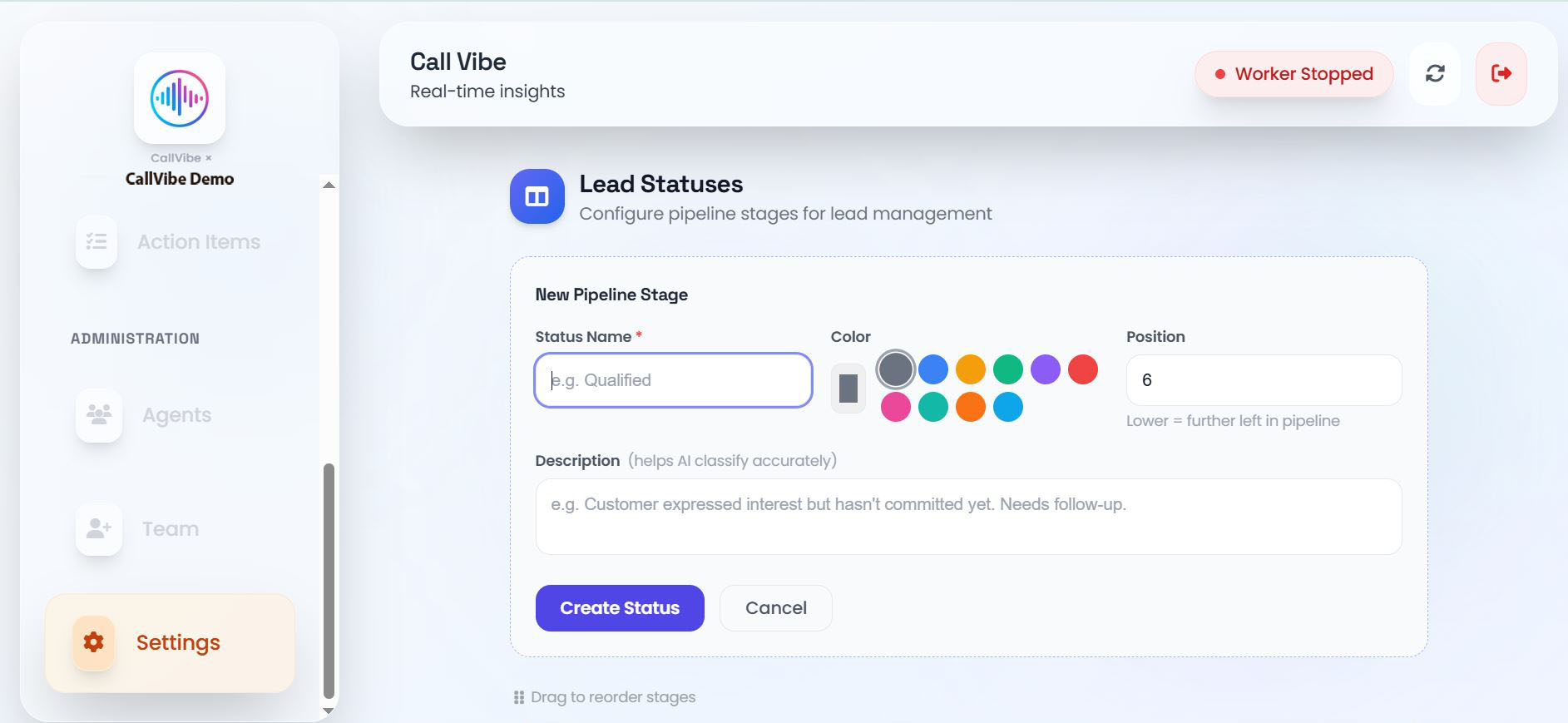
- Status Name: Label displayed on leads (e.g., "Qualified")
- Color: Color dot shown in the pipeline and lead list
- Position: Numeric order in the pipeline (lower = earlier stage)
- Description: Helps AI understand when to apply this status and helps the AI classify leads accurately
AI vs Agent Assignment
- AI: Sets status automatically after each call based on the transcript
- Agent: Can override status from the lead table by clicking on a lead, or from the Pipeline view in Contacts
Manual overrides are respected on subsequent calls unless the AI detects a significant stage change.
Manage Lead Statuses
Add a Status
- Open Settings > Lead Statuses.
- Click Add Stage or use the Smart Setup panel.
- Enter a name, pick a color, and set the position.
- Click Save.
Edit a Status
Click the pencil icon next to any status, modify the fields, and save.
Delete a Status
Click the trash icon and confirm. Leads already holding that status keep the label; new leads will no longer be assigned to it.