Callyzer Integration
Required Credentials
- API Access Key
Steps to Get Credentials
- Sign in to Callyzer at api1.callyzer.co/login as an admin user.
- From the dashboard, navigate to: Connectors → API & Webhook → API Config
- Generate the API Access Key and copy it.
Setup
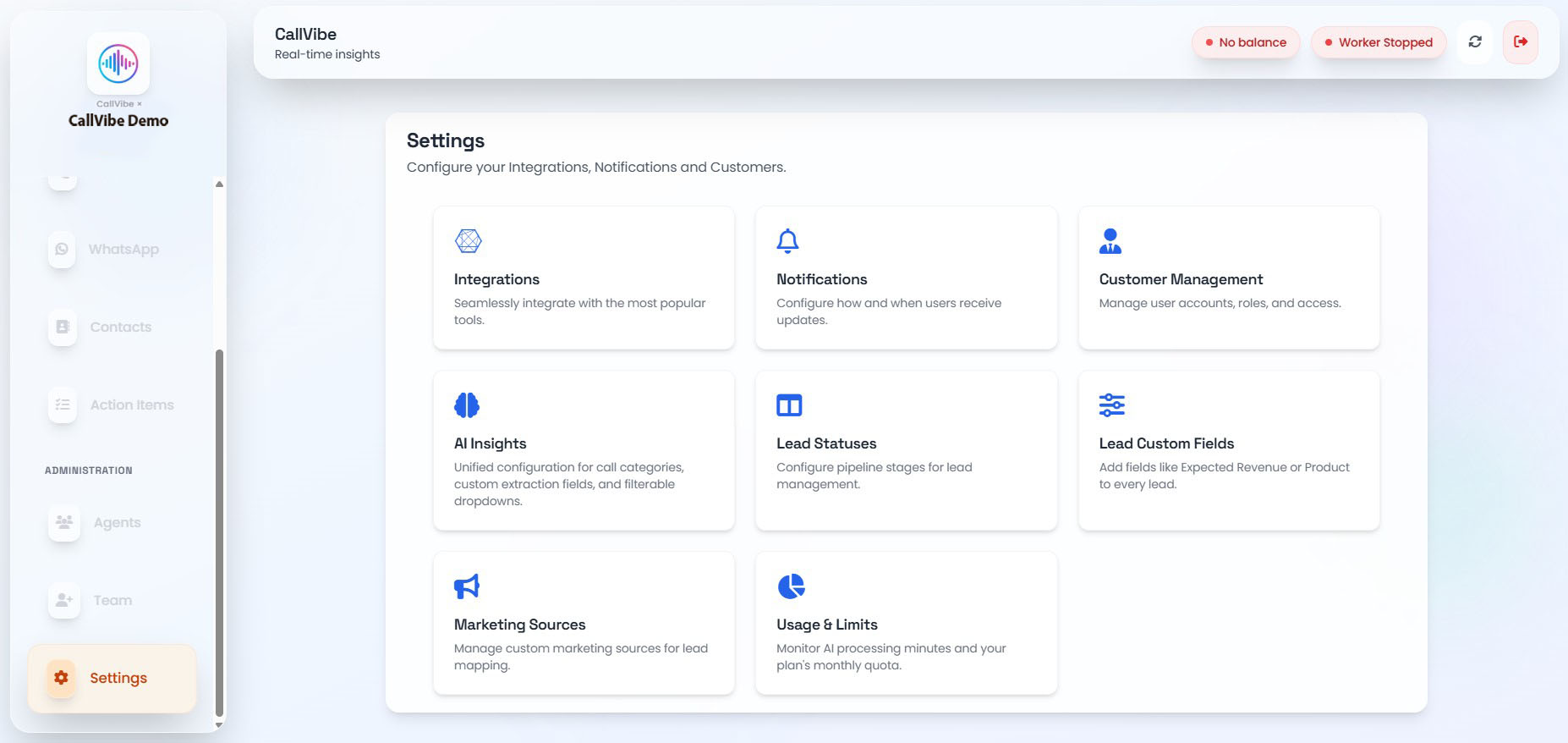
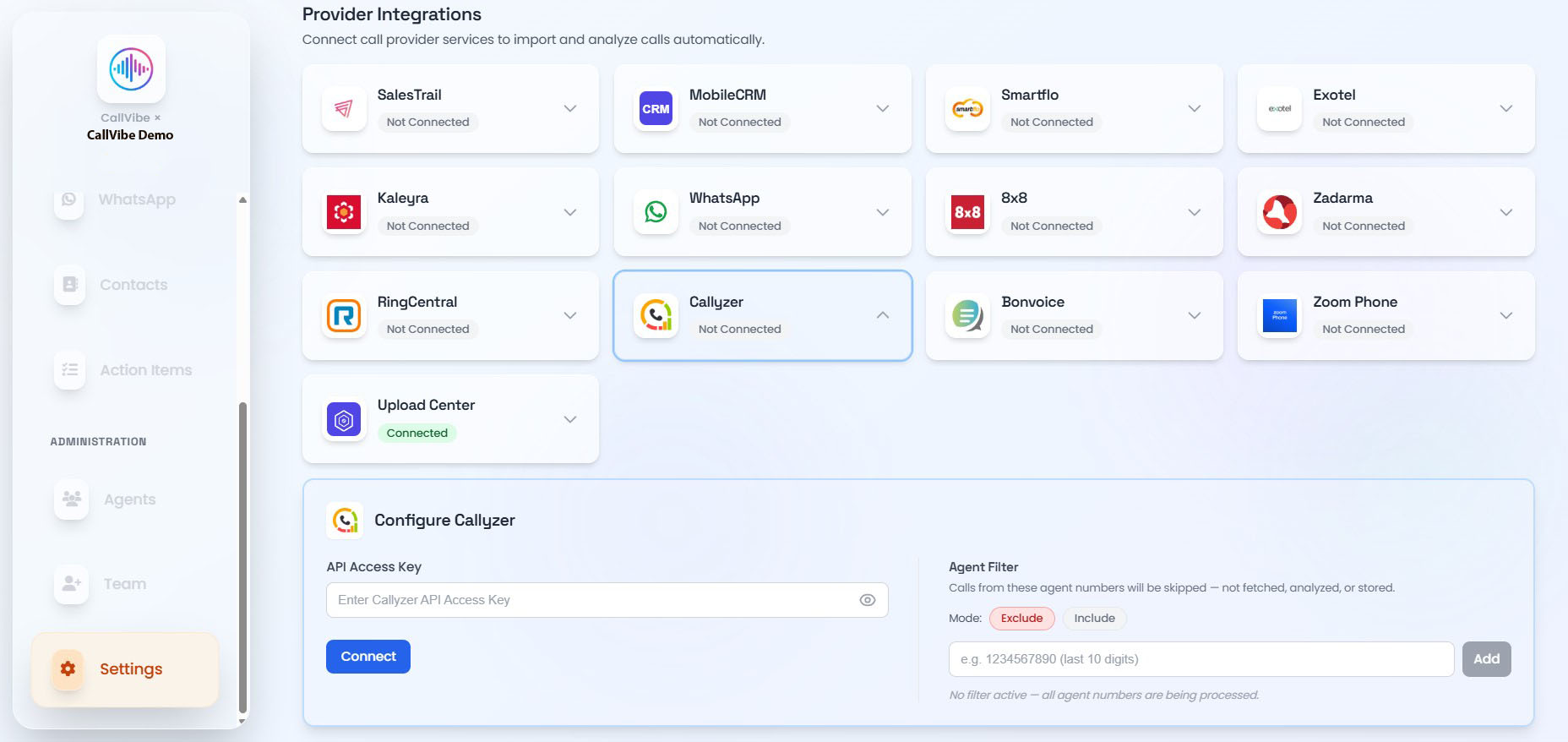
- Open Settings > Integrations.
- Select Callyzer.
- Enter API Access Key.
- Click Connect.
- Start worker.
Validation
tip
- Callyzer status shows Connected.
- Worker remains running.
- Call ingestion is visible in Calls.