RingCentral Integration
Required Credentials
- Client ID
- Client Token
- JWT Token
Steps to Get Credentials
-
Sign in to the RingCentral Developer Console as an administrator at developers.ringcentral.com.
-
Navigate to your apps — from the top navigation, go to: Console → Apps
-
Register a new app — if you haven't created an app yet, click Register App and complete the registration form to enable API access.
-
Open your app — once the app is created (or if it already exists), click on the app name to open its details page.
-
Download the Credentials JSON file — on the app details page, locate the option to download the Credentials JSON file. This file contains all the required credentials including the Client ID, Client Token, and JWT Token. Copy these values and use them during the CallVibe integration setup.
Setup
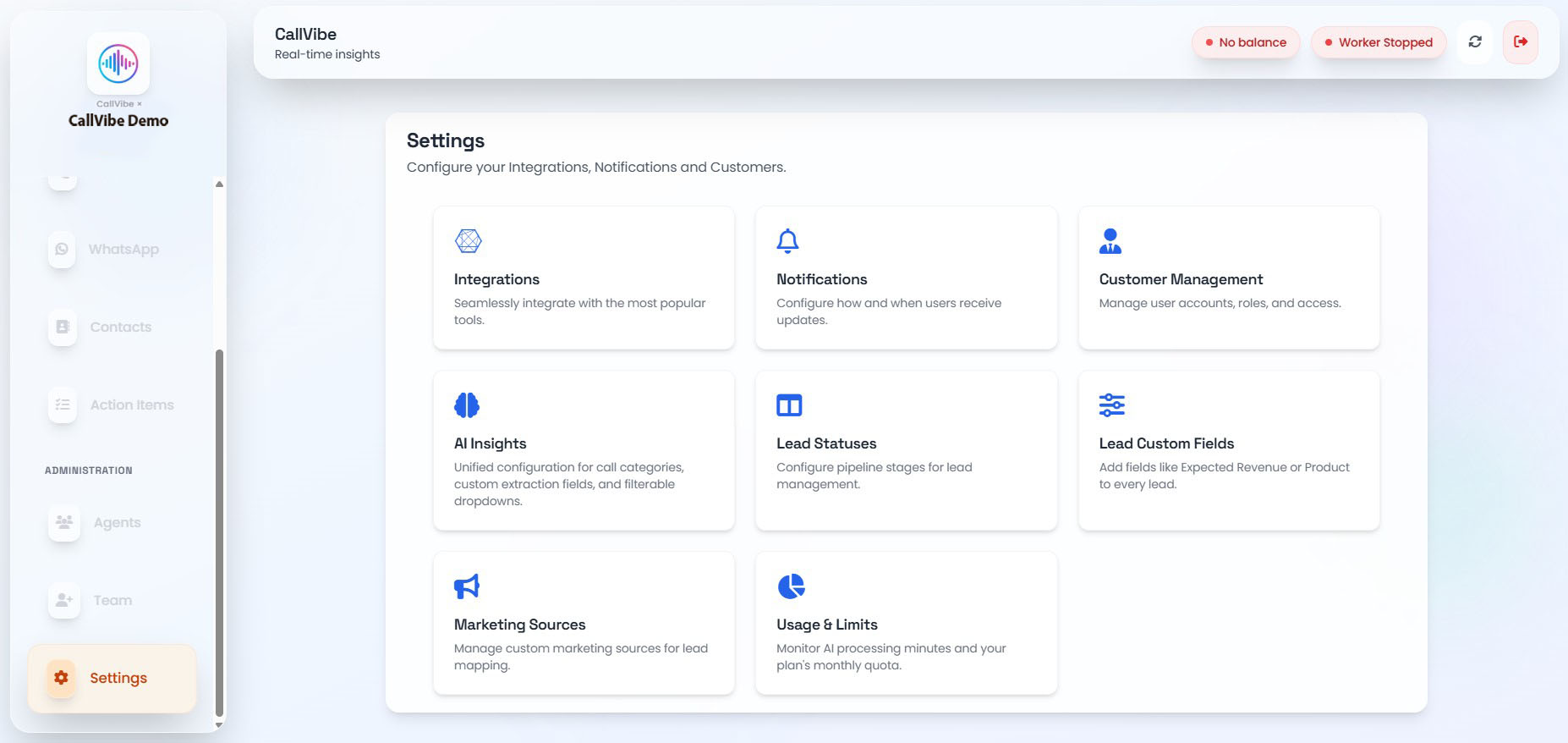
- Open Settings > Integrations.
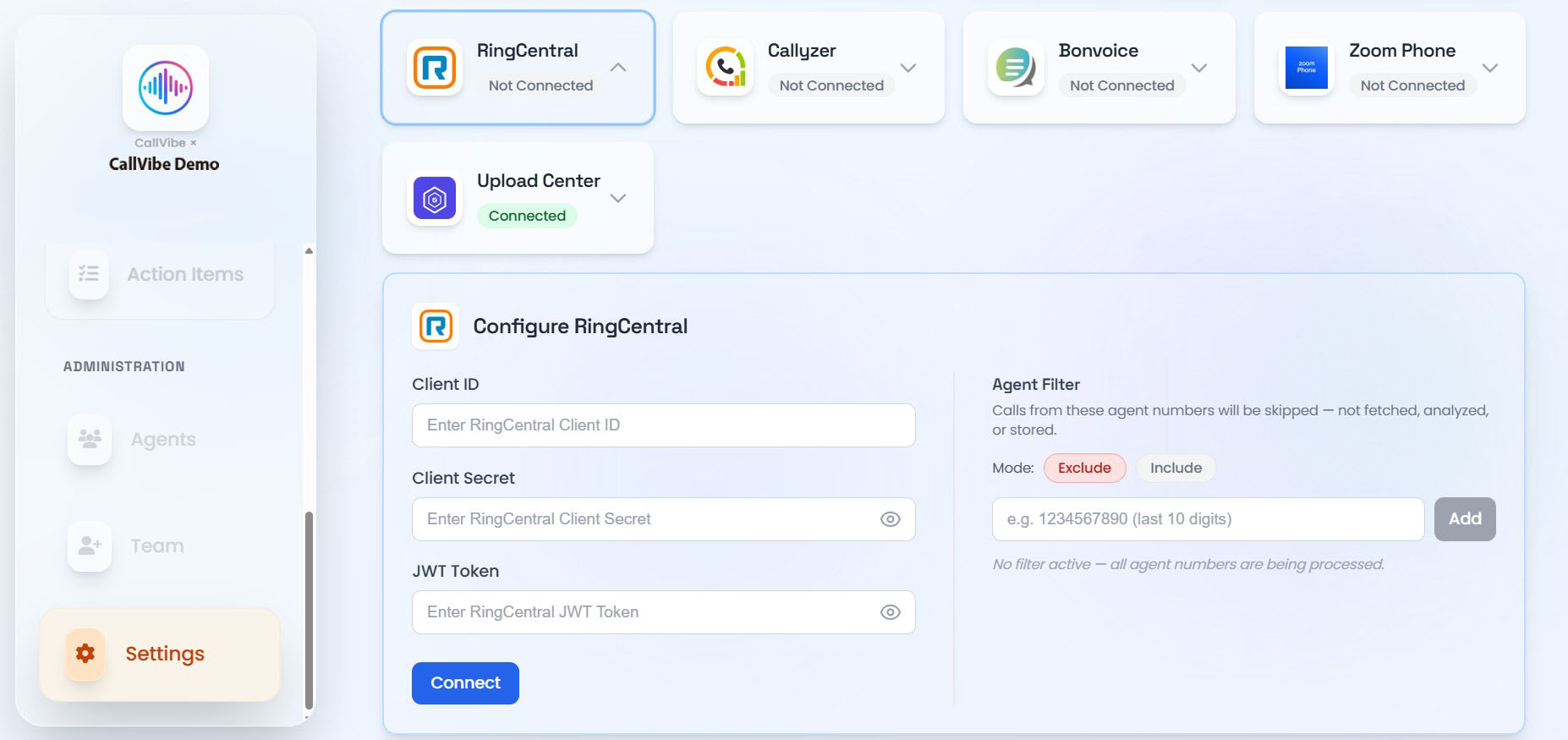
- Select RingCentral.
- Enter Client ID, Client Token, and JWT Token.
- Click Connect.
- Start worker.
Validation
tip
- Card status shows Connected.
- Worker remains running.
- Call ingestion is visible in Calls.